USB (Universal Serial Bus) cables are used to transfer data or power between devices like phones, laptops, cameras,
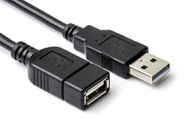
printers or external drives. Here, you can find USB cables with different types of connectors, each designed for specific devices and applications. You can choose from a range of cable lengths, ensuring you get the perfect USB cable for your needs, no matter how short or long! Browse through the USB cables we supply today, a purchase a new cable for your device.
Types of USB cables
From charging your phone to transferring large files or connecting to a printer, the right cable makes all the difference. With several types and standards available, it’s helpful to know what each can do.
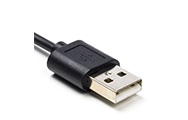
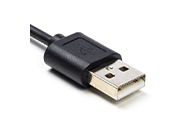
- USB-A cables: USB-A cables have a rectangular, classic connector. Used for computers, chargers or televisions, they support speeds of USB 2.0 up to USB 3.2.
- USB-B cables: USB-B cables have a square-like connector, often seen on printers and some audio devices. Typically used for printers, scanners and older external drives, you can expect speeds varying from USB 2.0 to USB 3.x.
- USB 2.0 cables: USB 2.0 cables offer speeds of up to 480 Mbps, commonly used for a computer mouse and keyboard, printers and older phones.
- USB 3.x cables: USB 3.x cables offer anywhere between 5 and 20 Gbps, depending on the version. They are usually used for fast external drives and video devices.
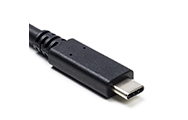
- USB-C cables: USB-C cables have a small, oval and reversible connector, with speeds varying from USB 2.0 up to USB4. USB-C is popular amongst modern phones, tablets, and laptops.
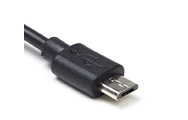
- Micro USB & Mini USB cables: Micro USB cables are small cables, commonly used on older phones and powerbanks, while Mini USB cables are larger, and used on older cameras and MP3 players. Both usually have USB 2.0 speeds.
Choosing the right USB cable ensures your devices work efficiently and safely. Whether you need simple charging, high-speed data transfer, or video output, understanding the types and standards helps you pick the best cable for your needs.

TIP!
USB cables can occasionally wear out or overheat, which is why we recommend having a backup cable ready when you need it. Choose one of our 123ink USB cables and you’ll get top quality cables at the best prices!
If a USB cable is not what you’re after, we supply a wide range of
cables for all types of purposes. Browse through them now!
Other useful products
Common Questions
How do I know which USB cable I need?
Check your device's connector type to see which type of USB cable you need. You may also need to observe the required charging speed and wattage. Then, pop onto 123ink.ie and purchase your USB cable!
Do longer USB cables charge slower?
Longer cables can reduce charging efficiency or data speeds, especially if they are low quality. For best performance, choose a certified, high-quality cable. Find your next USB cable at 123ink.ie.
Why is my USB cable hot?
USB cables can heat up due to high power draw, damage, or poor quality materials. If a cable becomes very hot, stop using it and replace it. Purchase a new USB cable at 123ink.ie for the best price and quick delivery.
If you have any questions,
contact us today!