- Over 450,000 clients!
- Nationwide delivery from €4.99 (max €6.99)
Payment options
Follow us on social media


We're award-winning!


This site is protected by reCAPTCHA and the Google
Privacy Policy and
Terms of Service apply.
Data Protection in the Office: How to handle sensitive information safely
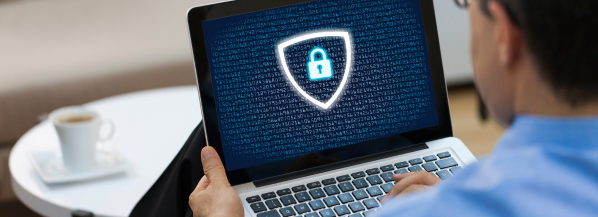
Data protection in offices refers to the policies, technologies and practices used to ensure that personal and sensitive information handled in a workplace is kept secure, used responsibly, and protected from unauthorised access or loss. This is essential not only for complying with legal regulations, such as GDPR, but also for maintaining trust with employees, clients, and partners.
To help everyone handle sensitive information safely, both physically and digitally, here are our top tips for office data loss protection:
1. Know what information is sensitive
Identify what information is sensitive or confidential before handling it. This data may include:- Personal data (names, addresses, ID numbers, HR records)
- Financial information (bank details, invoices, salaries)
- Health data
- Company information or intellectual property
- Passwords, access codes, or system credentials
Knowing which data is sensitive can help you take appropriate precautions to protect it. Perhaps, you should treat all sensitive information as confidential by default!
2. Always lock your screens and devices
Always remember to lock your computer, tablets and phones when away from your desk or workstation, to prevent unauthorised access to sensitive information. Forgetting to lock your screen could lead to data breaches, financial loss or reputational damage. Use the built-in lock functions on Windows (Windows + L) or Mac (Ctrl + Cmd + Q), or the quick-lock shortcut on your mobile devices.
TIP!
Encourage your colleagues to also lock their devices when stepping away. Security is a shared responsibility!
Encourage your colleagues to also lock their devices when stepping away. Security is a shared responsibility!
3. Use strong passwords and multi-factor authentication
Passwords are the first line of defense when protecting data in your office. Weak or reused passwords make it easy for anyone to access sensitive information. Create unique, complex passwords for all work accounts, combining upper and lower case letters, numbers and symbols. You can also enable multi-factor authentication (MFA) where possible. Even if someone guesses or steals your password, MFA will prevent unauthorised access.4. Store physical documents away securely
Physical documents often contain sensitive information, just like digital files. Leaving them unattended or not destroying them correctly can lead to unauthorised access, data breaches or loss of confidential information. It is best to keep all sensitive documents stored away in secure filing cabinets or a drawer box with lock when not in use, or make sure to clear all documents off your desk at the end of the day.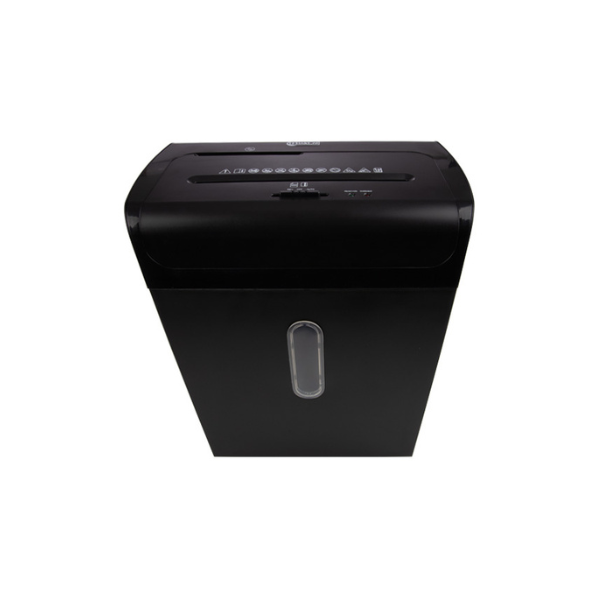
If you no longer need confidential files, take a look at our ‘Destroy confidential documents’ blog, to learn how to safely destroy files after their retention period. Documents containing confidential information should be destroyed using a home paper shredder, specifically a cross-cut paper shredder, with a DIN P-level of at least P-4 or P-5. It’s important when choosing a paper shredder for your office to ensure you’re choosing a machine that will protect data effectively, preventing information from being reconstructed. If you have a large volume of confidential documents that needs to be destroyed quickly, it might be best to outsource the task to a GDPR-compliant professional shredding service.
5. Limit access to sensitive information
Limiting access to sensitive data reduces the risk of accidental disclosure, misuse or unauthorised access. Even employees with good intentions can compromise security if they handle information they don’t need for their role. Only access and share information on a “need-to-know” basis! Before sharing data, ask yourself whether the person requesting the information truly needs it to perform their duties. If you’re unsure, verify before you share. Regularly review access rights to make sure only the right people can view or handle sensitive information.6. Encrypt digital data
Encryption protects data by converting it into a coded format that can only be read by someone with the correct authorisation or password. This ensures that even if information is intercepted, lost or stolen, it will remain unreadable and secure. Using encryption for emails, shared drives, and portable devices that contain sensitive information is a great idea. It’s also important to ensure that encryption tools are properly configured and that encryption keys or passwords are stored securely. Combining encryption with other security measures can provide a powerful layer of protection on your confidential data.7. Be careful with emails and sharing
We send emails and share files everyday, but unfortunately this is when data breaches most commonly happen. Sending information to the wrong person, forwarding private attachments without encryption, or using unapproved platforms can expose confidential data to unauthorised individuals. Remember to check before you click! Always confirm you’re sending information to the correct recipient and avoid using personal email addresses, as they may not have the same level of security. You should also use approved, secure platforms for sharing files, and encrypt attachments when possible.8. Keep software updated
Software updates don’t just add new features, they often fix security flaws that hackers can exploit. Outdated systems are a common entry point for cyberattack, malware and data breaches. Regularly updating operating systems, apps and antivirus softwares can help to protect against any vulnerabilities. Where possible, you should enable automatic updates so your system stays secure without manual effort. Try to be alert to fake updates and only install updates from trusted sources or through official company IT channels!9. Discuss information privately
Even casual conversations can unintentionally expose confidential information! When sensitive details are discussed openly in shared spaces, they can easily be overheard by visitors, contractors or other employees who aren’t authorised to have that information. It is best to avoid conversations about sensitive topics in public areas like hallways or canteens. Try to hold these conversations in private, secure environments, such as meeting rooms or offices, instead.10. Report incidents immediately
If data is lost, stolen, or sent to the wrong person, notify your manager or Data Protection Officer (DPO) right away. Acting quickly after a data breach or mistake can greatly reduce any potential harm. Whether it’s a lost laptop, an email sent to the wrong person, or a misplaced document file, delays in reporting it can make the problem worse and limit your organisation's ability to respond effectively. Reporting a mistake is not about blame, it’s about protecting people’s information and maintaining the organisation's integrity. Transparency and prompt action are key to minimising damage!Data privacy doesn’t have to be complicated! It’s about building good habits and staying mindful of how to handle information correctly. Small actions, like locking your screen or double-checking an email, can make a big difference in keeping data in your office secure.
If you need extra supplies for storing sensitive information, take a look at our storage and archiving options!
Common Questions
Why is data protection important?
Data protection is essential for complying with GDPR laws and for maintaining trust with employees, clients and partners. It is important to protect both digital and physical data from unauthorised access, loss, or misuse. Order filing supplies at 123ink.ie now to keep your data stored away.
What counts as ‘personal’ or ‘sensitive’ data?
Personal data includes anything that can identify a person, such as names, addresses, contact details, ID numbers or HR records, while sensitive data can include information about health, finances or anything confidential to the business. You can purchase padlocks to lock away sensitive data at 123ink.ie.
What should I do if I accidentally send sensitive information to the wrong person?
If you accidentally share information with the wrong person, report it to your manager or Data Protection Officer (DPO) immediately. Quick reporting helps reduce potential harm and ensure the right steps are taken to contain the issue. Try to avoid sharing sensitive data and protect data by reading our tips on 123ink.ie.
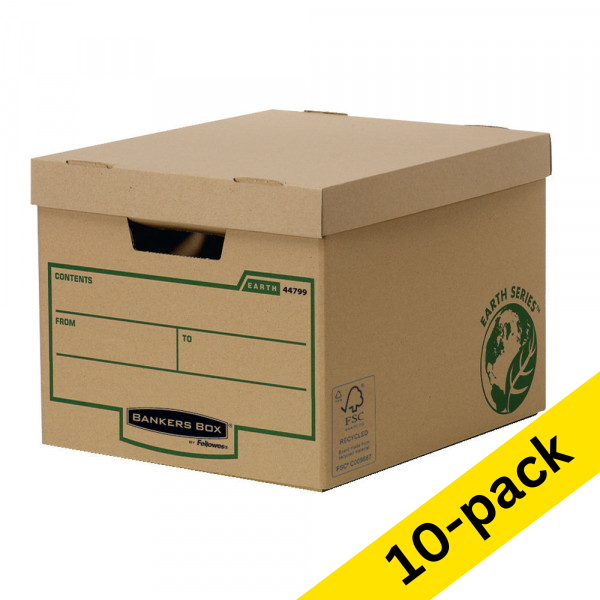
| A4 archive box 285 x 390 x 333mm | Fellowes Earth Bankers Box | 10-pack | ||
|
|
||
| Order now, we can ship this today! | ||
|
|
In stock
|
|